
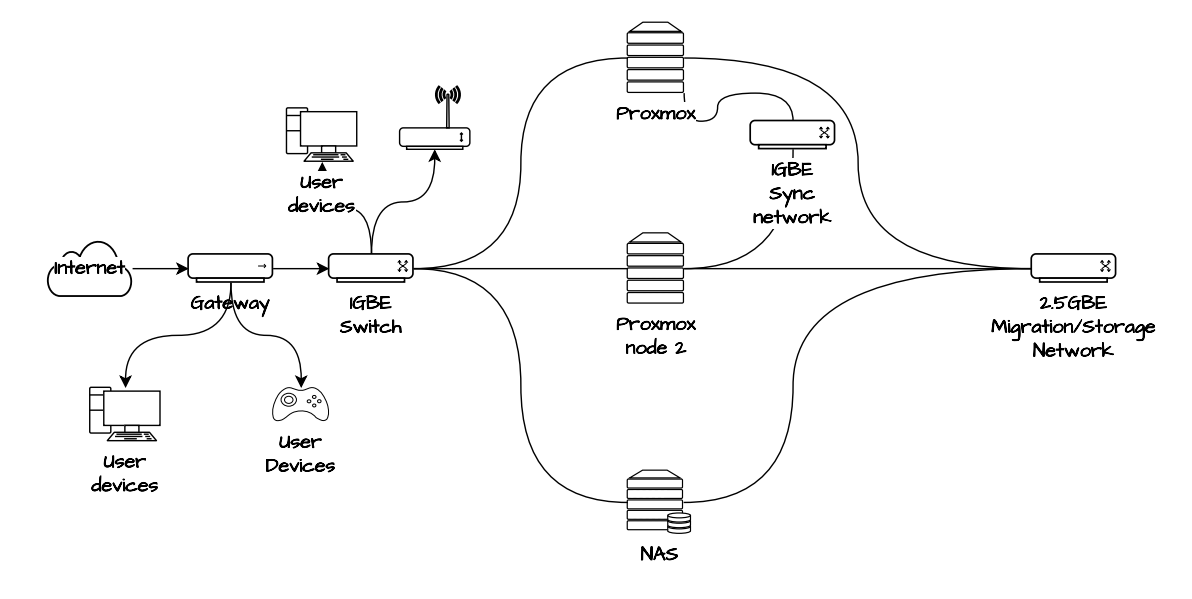
With the hardware installed, next step is installing proxmox. When clustering Proxmox reccomends using the same CPU type as other nodes, this is so you do not find issues with migrating VMs. My first node is also a Dell Optiplex mini PC; the 3070 and the new one Optiplex 7080 so this should not be an issue. I have decided to install Proxmox 7.4 as this is what is on the first node. My first node was a bit out of date, update wise so I updated using the Proxmox GUI, which just runs an apt get for packages from the community proxmox repo.
For proxmox you should use balenaetcher to flash a USB, boot from this and install onto the m.32 drive, if using rufus there is a messy setup with building its own grub, balenaetcher just works. The proxmox install will ask for an IP address, email address, hostname and that’s about it. Next steps I took were to add the community repo:
/etc/apt/sources.list

# Not for production use
deb http://download.proxmox.com/debian bullseye pve-no-subscription
Then I installed vim because I am not good at using the vi that this debian has standard. Then install updates on both nodes using the Proxmox GUI so both nodes are updated, its probably good to reboot each one to get the kernel updates as well.
For the clustering I had 2 USB to ethernet cables giving each node 3 NICs. I setup 2 extra networks on each node, one 2.5G and one 1G, and I plugged in one at a time to make sure I knew which was which :). See below they are setup as ‘Linux Bridge’

Then we use the datacenter > cluster tab in the UI to join the cluster. We paste this info into the 2nd node and use root password to join. This will ask which network to use as well, as we can see below it will be on its own 1GB network in 10.0.10.0/24.
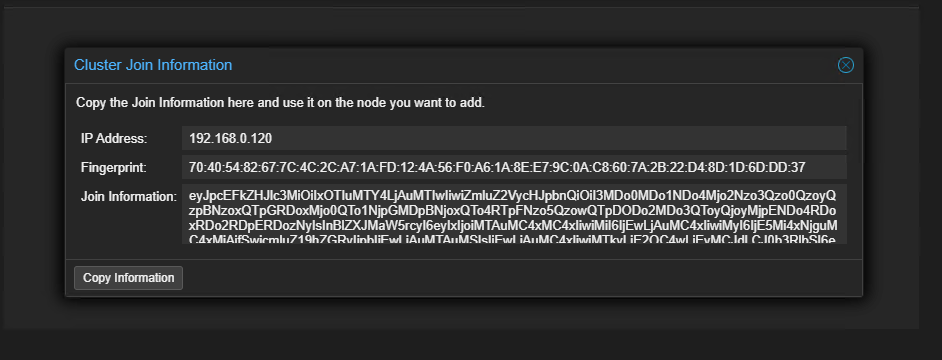
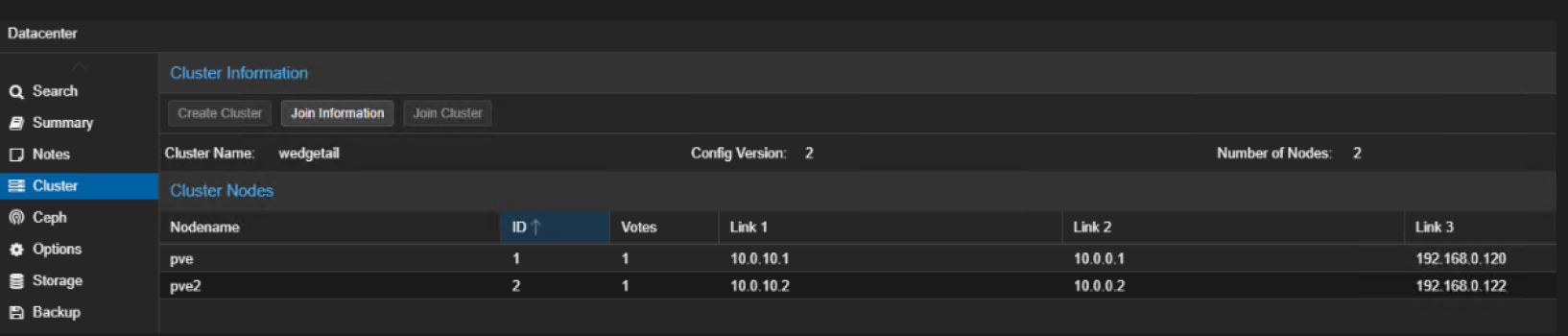
Cluster ring for each node: as seen in:
/etc/corosync/corosync.conf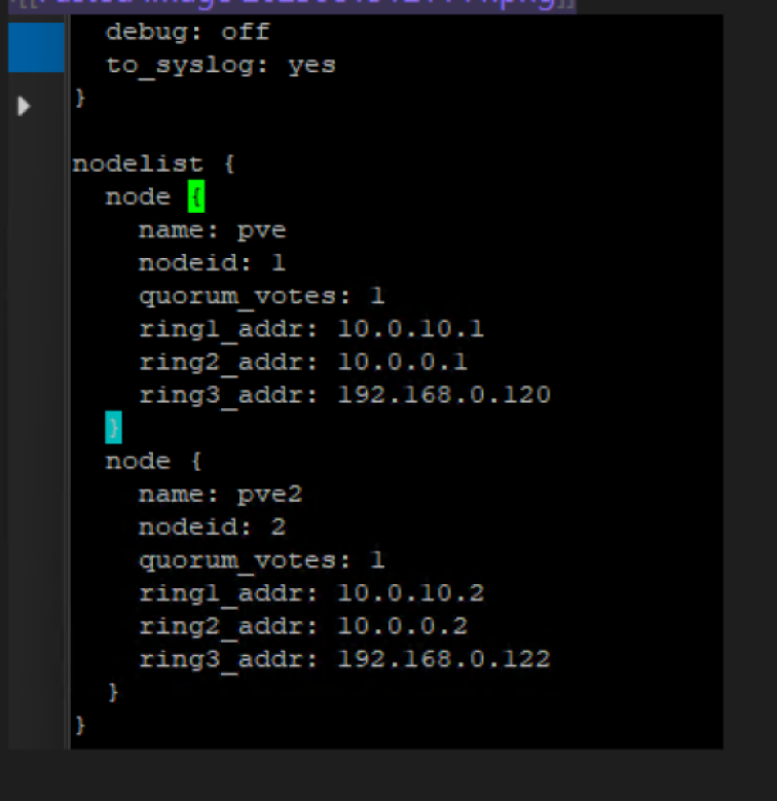
Can see here the 3 networks, they will fall back using ring network if one fails for the clustering. The first address is 1gb dedicated to the cluster, the second the 2.5GB and the 3rd the normal or ‘public’ network that the nodes reside on. Not sure if this is a good way to set it up, time and testing may tell. In the proxmox webUI in the datacentre options there is a section to define which ‘Linux Bridge’ network can be used for migrations. I added all local storage as thin provisioned LVM, this way I could run snapshots, and its a filesystem type I did not get a chance to use much on the first node. My NAS would act as shared storage, which I added on the new node as an NFS share using the proxmox GUI.
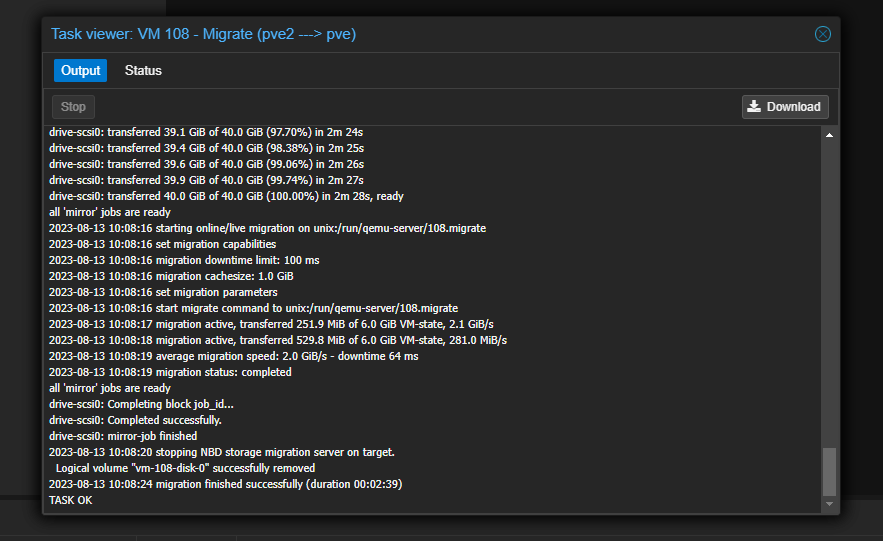
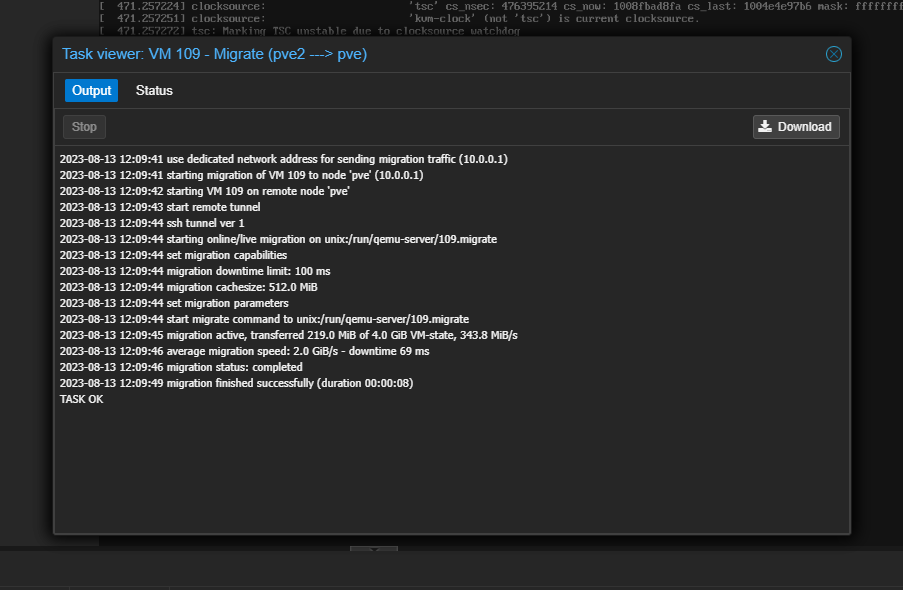
My migration tests for VMs from one node to another went well. It is instant with the shared storage and takes a few minutes for small VMs when changing storage, although this was without any downtime to the VMs. The speeds were using the migration network and is looking very fast.
One thing to note is that this kind of setup is not High Availability. This requires 3 nodes, as 2 votes are needed for Quorom for the cluster to decide which node to fall back on when migrating VMs. This could be something to think about for the next hardware project. Once the new node is clustered I added an extra USB HDD for backups and passed through the iGPU so that my Plex VM’s could use it exclusively. At the time of writing the below guides were not bad for these tasks:
https://ostechnix.com/add-external-usb-storage-to-proxmox/
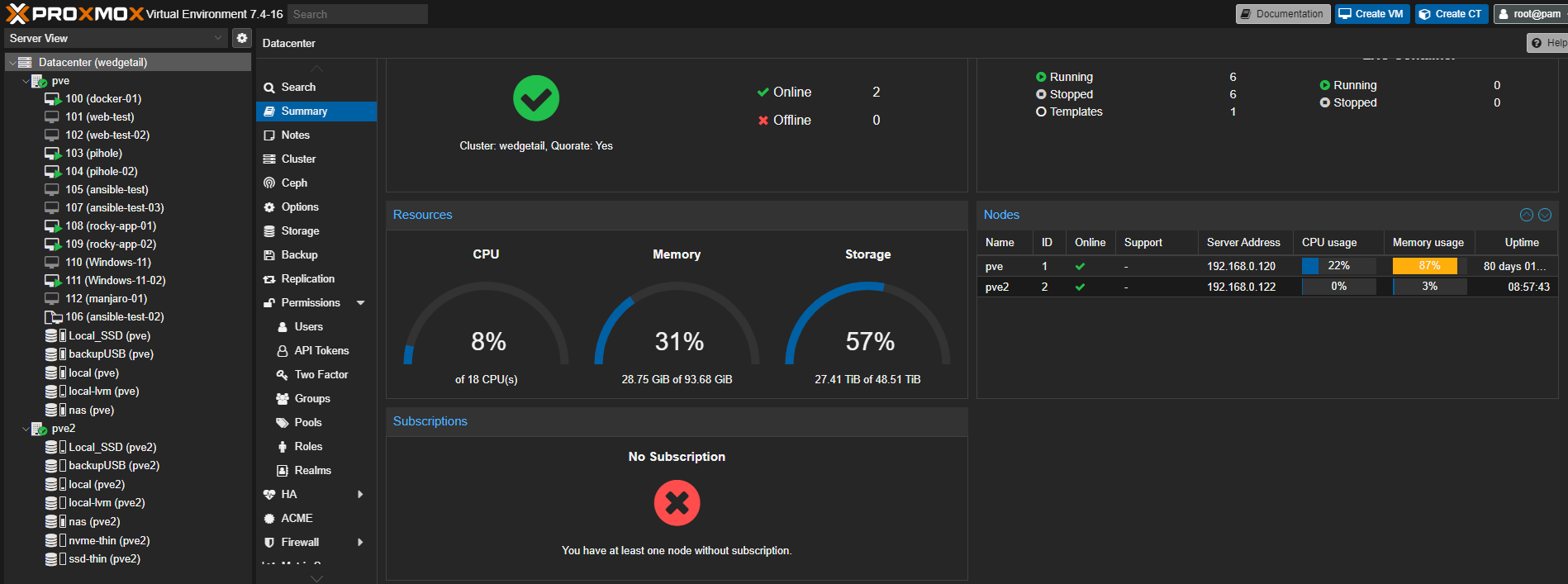
Once joined up you can see combined cores, storage and memory:
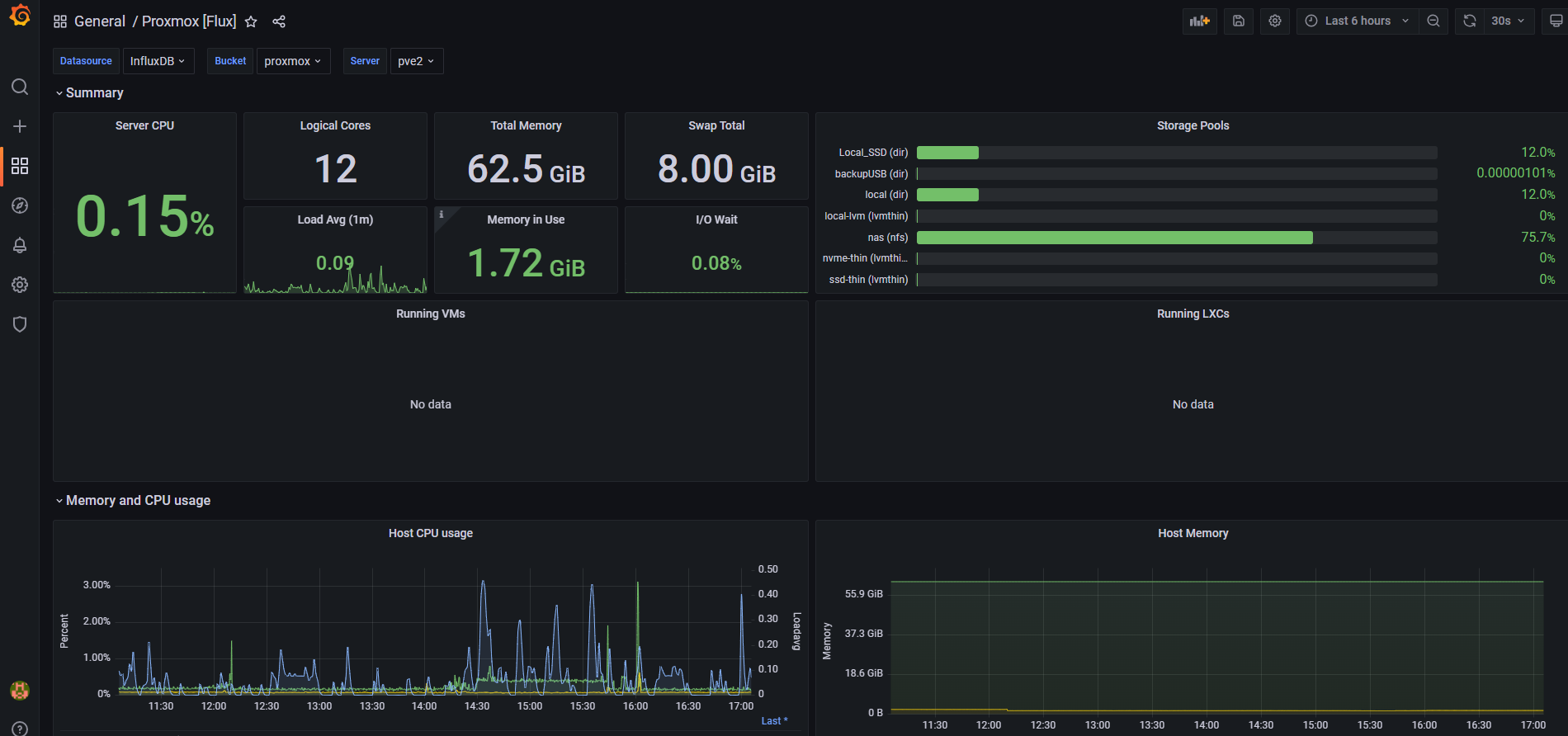
On the first node, I have a docker host with a influxdb container bucket which I have setup to capture statistics to be presented on my grafana instance. I expected to set this up again on the next node and document the process, but this automatically started collecting metrics on the new node as soon as they clustered up. An issue faced was regarding a NIC in the new node, this could have been an incompatiblity with the e1000 driver in debian/proxmox. I needed to install ethtool and turn off some features which were causing issues and brought the NIC offline. I did expected the USB NICs to have issues, but shared storage and the cluster was still connected via the migration and cluster links. This was because the corosync and migration networks were seperate; however the second node could not reach out on the ‘public’ network which was the NIC in the Dell box itself. Some details on this is discussed in the proxmox forums, a reminder that the mini PCs are an office desktop computer not build as servers.
https://forum.proxmox.com/threads/e1000-driver-hang.58284/
This was a fun project and now my somewhat useful home server gives me a bit of room to learn more about virtualization and linux machines/containers. At low use the whole setup of 2x Mini PC, 1 x NAS, 3 x switches and 2 x external HDD are around 120 Watts and 170 at high load according to my UPS monitoring, averaging out which I am pretty happy with.